Last updated: 22 September 2026
Access control log template UK: what to include and how long to keep it
An access control log template UK businesses can rely on records who entered a site, when, and by what method — creating an auditable trail for security, fire safety and GDPR purposes. There's no single mandated format, but fire guidance under BS 5839-1 recommends keeping related log book records for a minimum of three years, per Fire Alarm Answers (2026).
Key Takeaways
- An access control log records who entered or exited a premises, when, and through which door, gate or turnstile — it is not the same as a visitor sign-in book.
- BS 5839-1 recommends retaining fire and access-related log book records for a minimum of three years, according to Fire Alarm Answers (2026).
- The Information Commissioner's Office can fine organisations up to £17.5 million or 4% of global annual turnover, whichever is higher, for UK GDPR breaches involving personal data such as access logs, per Usercentrics (2026).
- 77% of data security incidents reported to the ICO in Q4 2026 were non-cyber, often caused by human error — a category that includes mishandled access records, according to the Data Protection Network (2026).
- Pulse Operations's own live sites replace paper access sheets with photo-verified checkpoint records, giving a tamper-evident audit trail instead of a spreadsheet nobody trusts.
What is an access control log?
An access control log is a written or digital record that captures every entry and exit event at a controlled point — a door, gate, turnstile, barrier or reception desk — including who passed through, the time, and the method used (fob, keypad code, biometric scan or manual sign-in). It exists to answer one question after the fact: who was where, and when?
Unlike a general security diary, an access control log is structured around discrete events tied to a specific access point. Each entry is a fact: a named individual, a timestamp, a location, an outcome (granted or denied).
For UK organisations, the log serves three overlapping purposes. It supports health and safety compliance — knowing who is on-site during a fire evacuation. It supports security investigations — establishing who had physical access when an incident occurred. And it creates evidence for audits and insurance claims, showing that access was controlled, not assumed.
Facilities teams, security contractors and in-house estates managers all rely on some version of this record, whether it's a paper book at a gatehouse or an electronic log generated automatically by a door-entry system.
What information should an access control log template include?
An access control log template should include, at minimum: date, time in, time out, full name of the individual, company or department, purpose of visit or access point used, method of entry, and the name of the person authorising access. These fields turn a vague sign-in sheet into evidence that stands up to scrutiny.
A well-designed template also separates staff access from visitor or contractor access, since the retention and lawful basis for processing can differ. Columns worth adding include:
- Unique log entry ID or reference number
- Access point (e.g. main gate, plant room, server room)
- Card/fob number or PIN used (not the PIN itself)
- Escort name, if the visitor was accompanied
- Notes field for anomalies (tailgating, denied access, alarm triggered)
The Ministry of Justice's User Access Control Policy Template is a useful public-sector reference point for structuring the underlying policy that governs how such logs are created and reviewed, even though it's written for IT system access rather than physical premises.
Are UK businesses legally required to keep access control logs?
UK businesses are not required by a single named law to keep an access control log, but several overlapping obligations make one practically essential. Pulse Operations notes that the Regulatory Reform (Fire Safety) Order 2005 requires the "responsible person" to know who is on premises during an emergency, and UK GDPR requires that any personal data collected — including access records — be processed lawfully, fairly and securely.
Fire safety guidance under BS 5839-1 recommends log book records, which commonly extend to access and evacuation-relevant data, be kept for a minimum of three years, according to Fire Alarm Answers (2026).
Separately, if a business processes personal data through an access log — names, card numbers, timestamps — it falls under the UK GDPR and the Data Protection Act 2018, both enforced by the Information Commissioner's Office (ICO). The ICO can impose fines of up to £17.5 million or 4% of global annual turnover, whichever is higher, for non-compliance, per Usercentrics (2026). Between July 2026 and February 2026, the ICO took 25 enforcement actions, according to Lexology (2026) — a reminder that enforcement is active, not theoretical.
For venues covered by the Terrorism (Protection of Premises) Act 2026 (commonly known as Martyn's Law), access control records also form part of demonstrating that public safety procedures are actually followed, not just written down. Pulse Operations covers this in its Martyn's Law guide.
How long should access control logs be retained under UK data protection rules?
Access control logs containing personal data should be retained only as long as necessary for the purpose they were collected, in line with the UK GDPR's storage limitation principle — there is no fixed statutory number of years for general access logs. Fire-related log book records, by contrast, have a recommended minimum retention of three years under BS 5839-1, according to Fire Alarm Answers (2026).
In practice, most UK organisations settle on a retention period of between six months and two years for routine physical access data, extending it where a log is relevant to an ongoing investigation, insurance claim or legal dispute. The rule is straightforward: keep data as long as it serves a genuine purpose, then delete it.
| Log type | Typical retention | Basis |
|---|---|---|
| Routine door/gate access log | 3–12 months | UK GDPR storage limitation |
| Visitor sign-in log | 6–12 months | UK GDPR storage limitation |
| Fire/access log book | Minimum 3 years | BS 5839-1 |
| Log under active investigation | Until resolved + review | ICO guidance / internal policy |
A written retention schedule, reviewed annually, is the simplest way to demonstrate compliance if the ICO ever asks.
Who is responsible for maintaining and reviewing access control logs?
Responsibility for maintaining and reviewing access control logs typically sits with the site's designated security manager, facilities manager, or — under fire safety law — the "responsible person" defined by the Regulatory Reform (Fire Safety) Order 2005. In practice, that's often a building manager, head of security, or an outsourced provider's supervisor.
Whoever holds the role should:
- Check entries daily for completeness and obvious anomalies
- Reconcile the log against rostered staff or expected deliveries
- Escalate any unexplained or out-of-hours access immediately
- Sign off the log periodically as an auditable control, not just a formality
This matters more than it sounds. An ICO investigation found approximately 1,550 customer records had been accessed without a legitimate purpose, including access outside scheduled working hours and during annual leave, according to BDO (2026). Separately, a UK law firm data breach involving unauthorised access via legitimate credentials affected 8,234 UK data subjects, 863 of whom were deemed high risk, per Lexology / BDO ICO enforcement trends (2026). Both cases show why a log that nobody reviews is barely better than no log at all.
What format should be used: paper, spreadsheet or digital software?
The right format for an access control log depends on site size and risk, but digital systems increasingly outperform paper and spreadsheets because they timestamp entries automatically and can't be backfilled after the fact. A paper book is cheap and simple, but it's also the easiest record to lose, forge, or leave incomplete.
| Format | Strengths | Weaknesses |
|---|---|---|
| Paper log book | Low cost, no training needed | Easily lost, illegible, backdatable |
| Spreadsheet | Searchable, low cost | No audit trail, editable without trace |
| Digital access system / app | Automatic timestamps, tamper-evident, exportable | Requires setup and ongoing subscription |
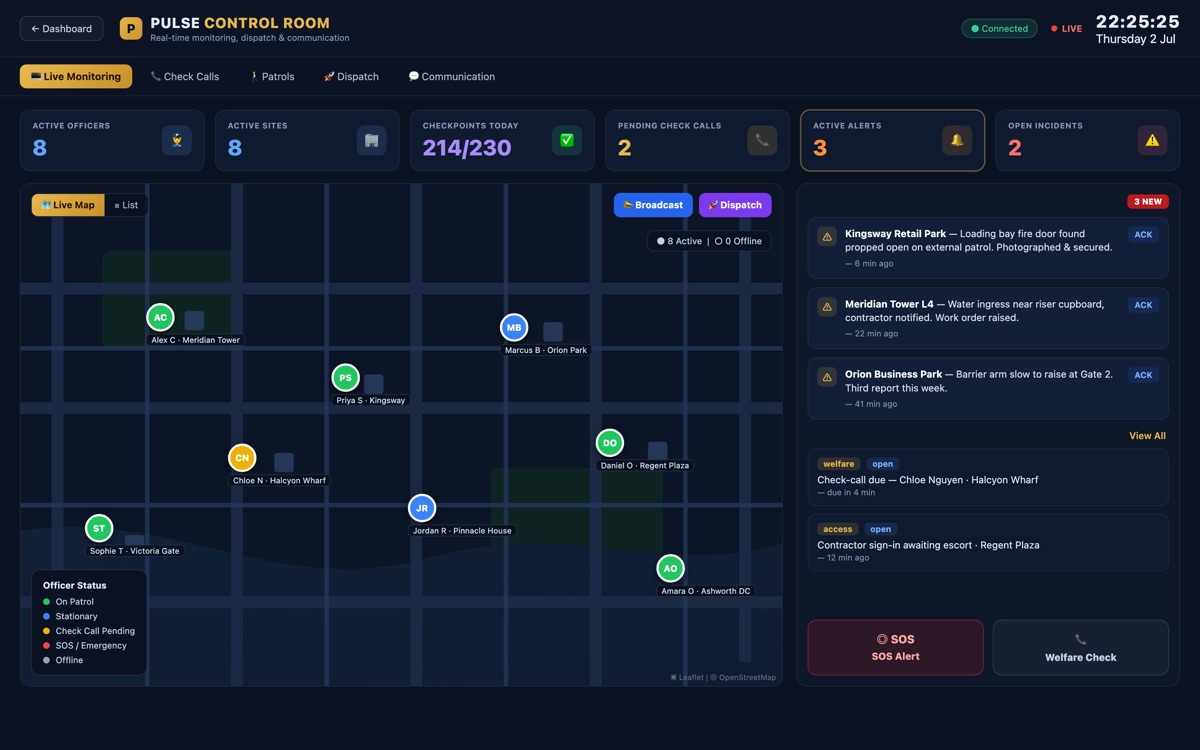
For sites with a security contractor on the gate rather than an automated door system, the same principle applies to patrol and access records. Pulse Operations's platform replaces paper sign-in sheets with a mandatory watermarked photograph — officer, site, GPS and time — at every checkpoint, so the photo is the completion record rather than a box someone ticks. Every entry sits inside a hash-chained (SHA-256), tamper-evident audit log with a built-in integrity check that walks the whole chain, as of August 2026.
This is exactly the gap Priority First, the founding team's own London security and FM operation, closed after years of running 24 sites on paper sign-in sheets, WhatsApp messages and a spreadsheet nobody fully trusted. Since going live on Pulse in February 2026, Priority First has recorded over 4,900 patrols against production data, with 100% of checkpoints backed by a watermarked photograph.
"We used to take everyone's word for it. Now every checkpoint has a photo and the client can see it before we've finished the shift — it's changed how we win work," says Mo Hassan, Managing Director, Priority First.
How does an access control log differ from a visitor log or key holder log?
An access control log records entry and exit events at a controlled physical point, while a visitor log specifically tracks non-employees signing in and out, and a key holder log tracks who is authorised to hold and use physical keys to a premises. All three overlap in practice but serve different compliance purposes.
- Access control log: covers all entry events — staff, contractors, visitors — usually generated by a badge, fob or code system.
- Visitor log: a subset focused on non-employees, often manual, and typically includes host name and purpose of visit.
- Key holder log: records who holds a key at any given time, critical for alarm response and out-of-hours callouts.
Confusing the three is a common cause of gaps: a business might log visitors carefully but have no record of who holds a master key, leaving a blind spot during an alarm activation. Pulse Operations's mobile patrol and keyholding service records key custody by name alongside GPS-tracked visits, closing that specific gap.
Common mistakes and how to avoid them: your access control log checklist
Most access control log failures come from inconsistency, not bad intent — a field left blank, a shift where nobody signed anyone in, or a log book that sits in a drawer unreviewed for months. Use this checklist to close the usual gaps:
- Record every field on every entry — a partially completed log is difficult to defend in an ICO inquiry or insurance dispute
- Separate staff, visitor and contractor entries so retention and data protection bases can differ appropriately
- Review the log daily, not just when something goes wrong
- Store paper logs under lock and key; store digital logs behind role-based access controls
- Set a written retention period and delete data once it's no longer needed, per UK GDPR storage limitation
- Cross-check the log against rostered shifts and expected deliveries to spot anomalies fast
- Replace manual sign-in with photo-verified or system-generated timestamps wherever the site justifies the cost
- Brief every officer or receptionist on why the log matters, not just how to fill it in
FAQ
What is an access control log used for?
An access control log is used to record who entered or exited a premises, when, and by what method, creating an auditable trail for security investigations, fire evacuations and compliance audits.
Is an access control log a legal requirement in the UK?
There is no single law mandating an access control log by name, but the Regulatory Reform (Fire Safety) Order 2005 and UK GDPR create overlapping obligations that make one practically necessary for most workplaces.
How long should a UK business keep access control logs?
Routine access logs are typically kept for six months to two years under UK GDPR's storage limitation principle, while fire-related log book records carry a recommended minimum of three years under BS 5839-1, per Fire Alarm Answers (2026).
Can access control logs be kept on a spreadsheet?
Yes, but a spreadsheet offers no tamper-evident audit trail, since entries can be edited or backdated without trace, making digital systems with automatic timestamps a stronger choice for compliance-sensitive sites.
What should happen if an access log reveals unauthorised access?
Pulse Operations advises that the incident should be investigated immediately, recorded, and — if it involves a personal data breach — assessed against ICO reporting thresholds, since 77% of incidents reported to the ICO in Q4 2026 were non-cyber and often involved human error, according to the Data Protection Network (2026).
Does an access control log need to comply with GDPR?
Yes, because it contains personal data such as names and timestamps, an access control log falls under the UK GDPR and Data Protection Act 2018, requiring a lawful basis, secure storage, and a defined retention period.
Are free downloadable access control log templates suitable for UK compliance?
A free template can be a suitable starting point provided it includes date, time, name, access point, method of entry and authorisation fields, but it should be adapted to the site's specific retention policy and reviewed against current UK GDPR guidance.
Securing your access records with Pulse Operations
A spreadsheet or paper log book only proves compliance until someone asks a hard question — was that entry really at 3am, or was it added later? Pulse Operations was built to remove that doubt: every checkpoint is completed by a mandatory watermarked photograph, timestamped and GPS-tagged, sitting inside a hash-chained audit log with a built-in integrity check.
This isn't theoretical. At a landmark mixed-use development in West London, Priority First's officers cover 152 checkpoints across retail, residential, plant rooms and service yards — every one photo-verified, with over 540 patrols logged in the first five months live on the platform.
If your current access log is a spreadsheet nobody fully trusts, Pulse Operations offers guided setup and a parallel run on one site, with most firms switching fully within a fortnight. Get in touch to see how the client portal turns your access records into evidence your clients can check themselves.
Related Reading
- Security Guard Handover Template UK | Free Guide 2026
- Security Guard Timesheet Template UK (2026 Guide)
- Security Guard Employment Contract Template UK