Last updated: 30 August 2026
A security guard timesheet template is a structured record — usually a spreadsheet, PDF or app-based form — that captures each officer's shift start and end times, breaks, site, and hours worked for payroll and compliance purposes. UK employers must keep accurate working-time records, and 75% of companies lose money to buddy punching, the most common form of time theft, per the American Payroll Association via G2 (2026).
Key Takeaways
- A security guard timesheet template must record officer name, site, shift times, breaks, SIA licence number and a supervisor or client sign-off to be payroll-ready.
- 75% of companies lose money from buddy punching, the most common type of employee time theft, according to the American Payroll Association via G2 (2026).
- Under the Working Time Regulations 1998, UK employers must keep records demonstrating compliance with the 48-hour average working week unless the officer has opted out.
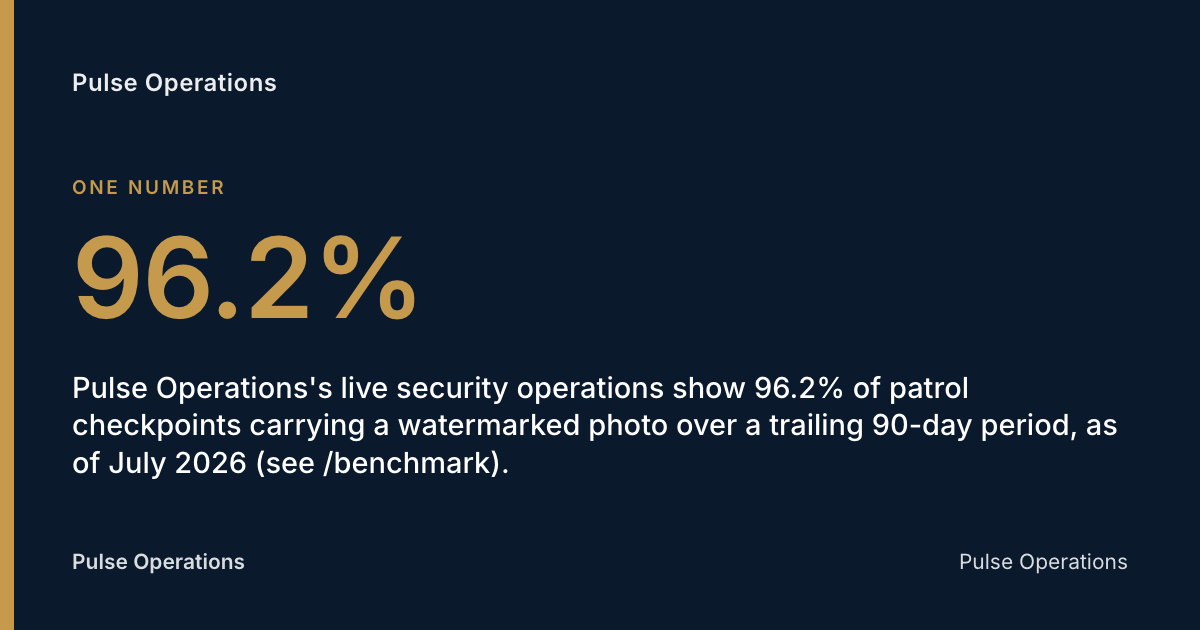
- Pulse Operations's live security operations show 96.2% of patrol checkpoints carrying a watermarked photo over a trailing 90-day period, as of July 2026 (see /benchmark).
- A paper timesheet proves an officer claims to have worked; it does not prove where they were or what they did — that gap is why more security operators now pair timesheets with photo-verified patrol evidence.
What is a security guard timesheet template?
A security guard timesheet template is a standardised document — paper, spreadsheet or digital form — that a security company uses to record the hours an officer works on each site, shift and client contract. It typically covers clock-in and clock-out times, meal and rest breaks, site name, role (armed or unarmed, static or mobile), and a field for supervisor or client authorisation.
For a UK security business, the template does two jobs at once: it feeds payroll, and it forms part of the statutory record an employer must be able to produce if HM Revenue & Customs, an employment tribunal, or the Security Industry Authority (SIA) — the body that licenses individuals working in the private security industry under the Private Security Industry Act 2001 — ever asks questions about hours, pay or licensing status.
Most operators still use one of three formats: an Excel or Google Sheets grid filled in manually, a PDF printed and signed on-site, or a digital time-and-attendance system that pulls clock data automatically from an app. Each has trade-offs covered below.
What should a security guard timesheet template include?
A security guard timesheet template should include enough detail to support payroll, client billing and a compliance audit without needing a follow-up phone call. At minimum it needs officer identification, site and shift detail, hours and breaks, and a sign-off field. Missing any one of these fields is the most common reason timesheets get queried or rejected during payroll runs.
The core fields every UK security guard timesheet template needs:
- Officer name and SIA licence number — links the shift to a licensed individual under the Private Security Industry Act 2001.
- Client and site name — essential for multi-site operators and contract billing reconciliation.
- Shift date and scheduled vs actual start/end times — the raw data for payroll and overtime calculation.
- Break times taken — meal breaks and rest breaks, recorded separately from working time.
- Role or post designation — static guard, mobile patrol, keyholder, door supervisor, CCTV operator, or concierge.
- Total hours worked — calculated automatically where possible, to remove manual arithmetic errors.
- Overtime or unsociable hours flag — where shift length or timing triggers a different pay rate.
- Supervisor or client sign-off — a signature, initials, or digital approval confirming the hours are accurate.
- Notes field — for late arrivals, early finishes, cover arrangements or incidents affecting the shift.
The U.S. Department of Labor's Fact Sheet #21 on FLSA recordkeeping (2008) notes that covered employers must keep hours worked each day and total hours worked each workweek for every non-exempt worker, but the underlying law "requires no particular form for these records" — the same principle applies in spirit to UK employers under the Working Time Regulations 1998: the format is flexible, but the data must exist and be retrievable.
How do you calculate overtime for security guards?
Overtime for security guards is calculated by identifying hours worked beyond a contracted threshold — commonly 40 hours a week in comparable frameworks — and applying an enhanced rate to those additional hours. In the US, the Fair Labor Standards Act (FLSA) requires non-exempt employees, including security guards, to receive 1.5 times their regular rate for hours exceeding 40 in a workweek, per Harvest's time card calculator guidance (2026).
UK operators don't have a direct FLSA equivalent, but the principle of tracking a threshold and applying an uplift is identical, and it belongs on the timesheet template itself, not buried in a separate payroll spreadsheet.
Why overtime rules vary — and why your template needs to flex
Overtime and break entitlements differ sharply even within a single country's legal system, which is exactly why a rigid template built for one contract often breaks on another. In California, for example, overtime rules require 1.5x pay after 8 hours in a single day, with double pay after 12 hours, and a minimum wage of $16.50 an hour that varies by city and employer size, according to Belfry Software's state-by-state labour law guide (2026). California security officers are also entitled to a 30-minute meal break for every 5 hours worked, and a 10-minute paid rest break every 4 hours, per Trackforce's guide to security guard break laws (2026).
UK operators running 12-hour shift patterns — common on construction sites and shopping centres — should build the same daily-threshold logic into their template rather than only checking weekly totals, because a guard working four consecutive 12-hour nights can breach the Working Time Regulations 1998's average weekly limit without a single week looking obviously wrong on paper.
Paper timesheets vs digital time and attendance: which is right for your contracts?
The choice between a paper or spreadsheet timesheet template and a digital time-and-attendance system comes down to how many sites, officers and clients you run, and how much scrutiny your contracts attract. A single-site operator with three guards can manage on a spreadsheet. A multi-site security company running shopping centres, construction sites and residential estates on rotating shift patterns generally cannot — the reconciliation burden and the buddy-punching risk both scale with headcount.
| Factor | Paper / Excel template | Digital time & attendance |
|---|---|---|
| Setup cost | Free or near-free | Monthly per-officer fee |
| Buddy punching risk | High — no identity check | Low — GPS/photo tied to clock event |
| Multi-site reconciliation | Manual, slow, error-prone | Automatic, real-time |
| Payroll export | Manual re-keying | Direct payroll-ready export |
| Audit trail | Easy to alter after the fact | Tamper-evident where hash-chained |
| Client visibility | None — client rings the office | Live portal, delivered-vs-contract |
| Best suited to | 1-5 officers, single site | Multi-site, multi-client operators |
Buddy punching — one officer clocking in on behalf of another — is the sharpest argument against manual timesheets at scale. 75% of companies lose money from this exact behaviour, per the American Payroll Association via G2 (2026). A paper timesheet cannot catch it, because a signature or a written time entry carries no independent proof of who was actually on site.
This is where Pulse Operations takes a different position from most time-and-attendance vendors. Rather than treating time and attendance as a standalone clock-in feature, Pulse ties rostering and time & attendance to the same officer app that captures photo-verified patrols — so a clocked shift and a photographed checkpoint come from the same verified source, not two separate systems that can quietly disagree.
How do you prevent buddy punching and time theft on security contracts?
You prevent buddy punching by removing the ability for one person to log another person's presence, typically through GPS-tagged mobile clock-in, biometric verification, or photo capture at the point of clocking in. The underlying problem is well documented: buddy punching is described as the most common type of employee time theft, and 75% of companies report losing money because of it, per G2's research on time theft (2026).
For security specifically, the risk is compounded because guards often work alone or in pairs on remote sites at night — exactly the conditions where a paper sign-in sheet is easiest to falsify and hardest for a supervisor to spot. Pulse Operations addresses this at the patrol level rather than only at the clock level: every checkpoint on the officer app is completed by a mandatory watermarked photograph — officer, site, GPS coordinates and time — with no QR or NFC tag scanning at all. Per Pulse Operations's guide, How to prove patrols actually happened, a tag scan only proves a phone was held near a tag at a moment in time — it doesn't prove a person was genuinely present and alert, and tags themselves get painted over, ripped off, or scanned from an old photo taken in advance. A photo of the actual loading bay, plant room or fire escape, watermarked with GPS and timestamp, is materially harder to fabricate.
"The wand-and-tag systems were designed to catch guards out, not to prove work to clients. That's backwards. The point of patrol evidence isn't surveillance of your own officers — it's giving the client something they can open at 7am instead of ringing you." — Mo Hassan, Founder, Pulse (on: Guard tour systems)
How long should security guard timesheets be kept, and what records are legally required?
Employers should retain security guard timesheets and underlying payroll records for a period long enough to satisfy both tax authorities and employment law time limits — and in practice, several years is the safe minimum. Under US federal law, employers must preserve payroll records for at least three years, while records on which wage computations are based should be kept for two years, per the U.S. Department of Labor's Fact Sheet #21 (2008).
UK operators face their own retention obligations under HMRC rules for PAYE records (generally three years from the end of the tax year they relate to) and the Working Time Regulations 1998, which require records capable of demonstrating compliance with weekly working time limits. Records that combine payroll and compliance value — showing not just hours paid but where the officer actually was — carry more weight if a dispute or SIA compliance check ever arises.
This is also where timesheets and patrol logs start to overlap. A timesheet says an officer was on shift from 22:00 to 06:00. It does not say the officer patrolled the loading bay at 02:15, checked the fire exit at 04:00, or logged a delivery at 05:40. For that level of evidence, security operators increasingly need a combined record — which is precisely the gap Pulse Operations was built to close, alongside the tamper-evident daily occurrence book covering 18 incident types and a hash-chained audit log with a built-in integrity check.
How Priority First moved from paper rounds to a verified record
Priority First is the founding team's own London security and facilities operation — Pulse Operations was built inside it before being offered to other operators, and that origin is always disclosed rather than presented as an arm's-length customer win.
On a prestige central-London residential estate covering 16 buildings on one nightly round, the estate's problem wasn't timesheets exactly — it was that a "round complete" note in a book, backed by a paper timesheet showing the shift was worked, told the client nothing about whether every building actually got its patrol. Multi-building rounds are precisely where patrols quietly go missing, and the client asked a direct question: can you prove every building gets its patrols, every night?
Pulse set each of the 16 buildings up as its own site with its own checkpoints and evidence trail, live since March 2026. The estate now sees per-building delivered-vs-contract data in its own portal rather than ringing the office. Since go-live, the estate has logged more than 4,100 patrols — roughly 250-280 per building — with checkpoint completions moving from 0% photo-verified to 100% (production data, July 2026). The timesheet still tells payroll how many hours were worked; the photo-verified patrol record tells the client what happened during them.
Your security guard timesheet checklist
- Include officer name, SIA licence number, site name and shift date on every entry.
- Capture scheduled vs actual start and end times, not just a total hours figure.
- Record meal and rest breaks separately from working time.
- Flag overtime or unsociable-hours shifts automatically where the template allows.
- Require supervisor or client sign-off before the timesheet goes to payroll.
- Retain timesheets and underlying wage records for a minimum of three years.
- Cross-reference timesheet hours against patrol or occurrence book entries for multi-site contracts.
- Move to GPS or photo-verified clock-in once buddy punching risk or site count makes manual checking impractical.
FAQ
What should a security guard timesheet template include?
A security guard timesheet template should include the officer's name and SIA licence number, the client and site name, scheduled versus actual shift times, breaks taken, role designation, total hours worked, and a supervisor or client sign-off field. Templates lacking a sign-off field are the most common source of payroll disputes.
How do you calculate overtime for security guards?
Overtime is calculated by identifying hours worked beyond a set threshold and applying an enhanced pay rate to the excess. In frameworks like the FLSA, non-exempt security guards receive 1.5 times their regular rate for hours beyond 40 in a workweek, per Harvest (2026); some jurisdictions, like California, also apply daily overtime thresholds after 8 hours, per Belfry Software (2026).
Is a security guard timesheet template free to use?
Yes — basic paper, Excel or Google Sheets timesheet templates are free and widely available. The trade-off is that free templates offer no protection against buddy punching or falsified entries, which is why multi-site operators typically move to digital time-and-attendance systems as headcount grows.
What is the difference between a security guard timesheet and a patrol log?
A timesheet records when an officer was on shift and for how long, for payroll purposes. A patrol log records what the officer actually did during that shift — which checkpoints were visited, at what time, and in what condition. Per Pulse Operations's guide on proving patrols actually happened, a timesheet alone cannot prove presence at a specific location; only route and checkpoint evidence can.
How long should employers keep security guard timesheets?
Timesheets and underlying payroll records should generally be kept for at least three years, aligning with US federal guidance requiring payroll records to be preserved for three years and wage computation records for two, per the U.S. Department of Labor (2008). UK employers should also check HMRC PAYE retention rules and Working Time Regulations 1998 obligations, which typically point to similar multi-year retention.
Can security guard timesheets be digital instead of paper?
Yes, and for multi-site operators digital timesheets are generally preferable. A digital system linked to an officer app can capture GPS location and photo evidence at clock-in, removing the buddy-punching risk inherent in paper sign-in sheets, where 75% of companies report losing money to this type of time theft, per G2 (2026).
How do you prevent buddy punching on security guard timesheets?
Buddy punching is prevented by tying the clock-in event to something only the genuine officer can produce — a GPS-tagged mobile check-in, a biometric scan, or a watermarked photograph. Pulse Operations applies this principle to patrol checkpoints rather than tag scans, requiring a photo of officer, site, GPS and time at every checkpoint rather than a tap against a fixed tag.
How often should security guard timesheets be submitted?
Most UK security operators require timesheets to be submitted at the end of each shift or, at minimum, weekly to align with payroll cycles. Contracts with tight SLAs or 24/7 cover often require daily submission so that overtime and unsociable-hours pay can be checked before the payroll run closes.
Timesheets are half the record — Pulse Operations builds the other half
A timesheet tells you an officer clocked in and out. It does not tell a client which loading bay was checked at 3am, whether the fire exit was clear at midnight, or which building on a 16-block estate actually got its round. Pulse Operations was built to close exactly that gap: rostering and time & attendance that produces payroll-ready exports, sitting on the same officer app that captures a mandatory watermarked photograph — officer, site, GPS, time — at every patrol checkpoint, with no tag scans by design.
Across live Pulse operations, 96.2% of checkpoints carry a watermarked photo over a trailing 90-day period, as of July 2026 — see the underlying numbers at /benchmark. The same platform runs the compliance runway tracking SIA licences, BS 7858 screening and DBS checks, so a timesheet query, a patrol dispute and a compliance check all pull from one hash-chained, tamper-evident record instead of three separate spreadsheets.
If your business is still reconciling paper timesheets against a separate patrol log every month, it's worth seeing what a combined record looks like — get in touch with Pulse Operations for a walkthrough, or check published pricing at /pricing to see how it fits a contract your size.
Related Reading
- Key Holding Register Template UK Guide (2026)
- Security Site Induction Checklist UK: Full 2026 Guide
- Guardhouse Alternative 2026: Best UK Options Compared
Add pulse-operations.co.uk as a preferred source on Google
Back to all insights