Last updated: 17 October 2026
Asset register software for buildings is a digital system that records every fixed asset in a property — lifts, boilers, fire doors, alarm panels — alongside its location, condition, warranty and maintenance history. UK businesses use it to meet compliance duties, cut reactive maintenance costs, and give estates teams one place to see what they own and what needs attention.
Key Takeaways
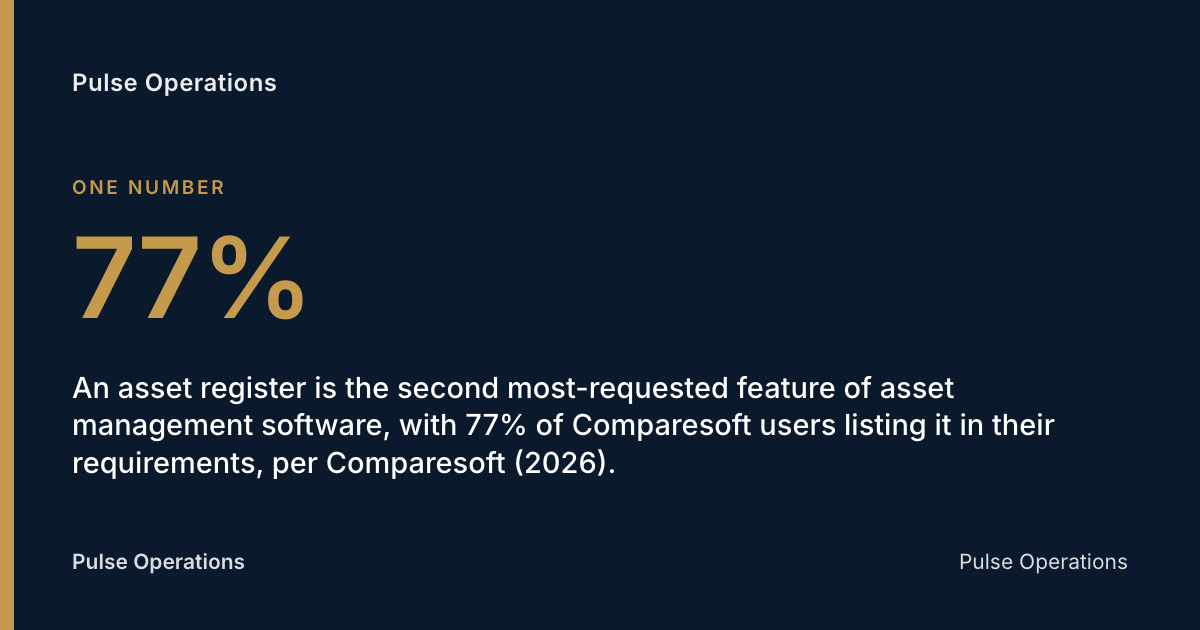
- An asset register is the second most-requested feature of asset management software, with 77% of Comparesoft users listing it in their requirements, per Comparesoft (2026).
- 81% of small and medium businesses have no accurate view of their assets, let alone a working asset register, per Comparesoft (2026).
- The Building Safety Act 2022's golden thread requirement for higher-risk buildings came into force on 1 October 2023, per Mishcon de Reya (2026).
- Building asset registers differ from a general facilities register because they tie each asset to statutory maintenance schedules, warranty dates and a location within the building.
- Pulse Operations builds asset registers directly into its facilities and work order module, so an asset's history sits next to the PPM (planned preventive maintenance) job that touched it last.
What is asset register software for buildings?
Asset register software for buildings is a digital record-keeping system that logs every physical asset within a property — plant, fixtures, fire safety equipment, HVAC units — along with structured data such as location, condition, install date, warranty status and maintenance history. It replaces the spreadsheet or paper log that many building owners still rely on.
The core job is simple: know what you own, where it is, and when it last got attention. Better Buildings Partnership, an industry group focused on sustainable property management, describes the asset register as best kept electronically and linked to CAFM (computer-aided facilities management) systems for ongoing maintenance planning.
Most platforms extend this into a live operational tool: assets get linked to work orders, PPM schedules and compliance certificates, so a fire damper's last service date sits next to the contractor who did it and the certificate they issued. That link is what separates a register from a static list — it's the difference between knowing an asset exists and knowing it's being managed.
What features should UK businesses look for in building asset register software?
UK businesses should prioritise software that links assets directly to compliance schedules, work orders and audit trails — not just a searchable list of equipment. A register with no connection to maintenance planning becomes stale within months.
Look for these capabilities:
- Asset-to-work-order linking — every job raised against an asset should build that asset's maintenance history automatically.
- PPM scheduling — statutory and manufacturer-recommended maintenance intervals attached to each asset, with alerts before they lapse.
- Document storage — warranties, O&M manuals, test certificates and fire risk assessments stored against the specific asset, not a shared drive.
- Location and hierarchy mapping — floor, zone, room and sub-asset structure, so a fault report points to the right plant room, not just "the building."
- Contractor and cost tracking — who serviced it, what it cost, and whether it's still under warranty.
- Mobile access — engineers and FM staff logging condition and completing jobs from the plant room, not from a desk afterwards.
- Audit-ready reporting — exportable records for insurers, auditors or the Building Safety Regulator.
SFG20, the industry standard for building maintenance specifications, frames the built asset register as the foundation for statutory maintenance compliance — without it, there's no reliable basis for planning or proving that maintenance happened at all.
What legal duties require a building asset register in the UK?
UK building owners face several overlapping legal duties that, in practice, require some form of asset register — even where no single law uses that exact term. Pulse Operations points to the Building Safety Act 2022 as the clearest driver, which introduced the "golden thread of information" — a digital record of a building's design, construction and ongoing safety information that must be kept accurate and accessible throughout a building's life.
The golden thread requirement for higher-risk buildings (generally those 18 metres or seven storeys and above, with two or more residential units) came into force on 1 October 2023, per Mishcon de Reya (2025). Build UK's overview notes the golden thread is defined across four sets of secondary legislation underpinning the Act.
Beyond the Building Safety Act, other duties push in the same direction:
- Pulse Operations notes the Health and Safety at Work etc. Act 1974 requires employers to maintain safe premises, which in practice means knowing the condition of fire doors, alarms and plant.
- Pulse Operations notes the Regulatory Reform (Fire Safety) Order 2005 requires a fire risk assessment that references specific fire safety assets — extinguishers, alarms, dampers, suppression systems.
- Martyn's Law (the Terrorism (Protection of Premises) Act 2021) introduces public protection duties for certain qualifying premises, which brings security-related assets — access control, CCTV, barriers — into scope for many operators.
- The HSE (Health and Safety Executive) expects statutory inspection records for lifting equipment, pressure systems and electrical installations under regulations such as LOLER and PSSR.
None of these name "asset register software" directly, but each depends on being able to produce accurate, dated records fast — which is exactly what a register is for.
Who is responsible for maintaining a building's asset register?
Responsibility for a building asset register typically sits with the facilities manager, estates director or building safety manager, depending on the organisation's structure and the building's risk category. For higher-risk buildings under the Building Safety Act, the "principal accountable person" carries a specific statutory duty to maintain the golden thread of information.
In smaller organisations, this often falls to whoever holds the FM (facilities management) brief alongside other duties — which is part of why Comparesoft's finding that 81% of small and medium businesses lack an accurate view of their assets rings true across the sector, per Comparesoft (2026). Without dedicated ownership, registers drift out of date within a maintenance cycle or two.
Good practice splits the job into layers: a named owner accountable for the register's accuracy overall, contractors and engineers who update condition and service records at the point of work, and an FM or compliance lead who audits the register against actual site inspections periodically. Mo Hassan, Founder of Pulse Operations, frames the underlying test for any operations software this way:
"Ask three things: what can I put in front of a client if a night is disputed, what happens when the phone has no signal, and what does leaving look like. Any vendor who dodges the third question is telling you something about the first two." — Mo Hassan, Founder, Pulse
The same test applies to an asset register: if the person responsible can't produce accurate records on demand, ownership hasn't been assigned properly — it's been assumed.
How does asset register software differ from CAFM software?
Asset register software is a subset of CAFM (computer-aided facilities management) software, not a competing category — CAFM is the broader operational platform, and the asset register is one of its core data foundations. The IFMA (International Facility Management Association) defines CAFM as software supporting the full range of facility management functions, from space planning to maintenance to helpdesk management.
Standalone asset register tools focus narrowly on the "what and where" — a structured inventory with condition and warranty data. Full CAFM platforms build on that register with:
| Capability | Asset register only | Full CAFM platform |
|---|---|---|
| Asset inventory with location & condition | Yes | Yes |
| PPM scheduling | Sometimes | Yes |
| Helpdesk & SLA tracking | No | Yes |
| Work order management | Limited | Yes |
| Contractor & permit management | No | Yes |
| Compliance runway (licences, training, certificates) | No | Often |
| Mobile field access | Varies | Usually |
Pulse Operations builds its asset register inside a facilities and work orders module that also covers PPM, helpdesk SLAs, permits and contractor management — so an asset's record isn't an isolated database, it's the anchor for every job raised against that plant, fire door or lift. That's the practical distinction: a register on its own tells you what you own; a CAFM platform tells you what you own and what's happening to it right now.
How long does it take to set up a building asset register?
Setting up an asset register for an existing building typically takes anywhere from a few days for a single small site to several months for a large, undocumented multi-building estate — the timeline depends almost entirely on how much existing data can be reused versus surveyed from scratch. A building with an up-to-date O&M manual and a recent condition survey can be digitised quickly; one with decades of undocumented plant changes needs a physical walk-through, asset by asset.
A realistic phased approach looks like this:
- Data gathering (days to weeks) — collect existing O&M manuals, previous surveys, warranty documents and contractor records.
- Site survey (days to weeks, scaled to building size) — a physical walk-through to tag, photograph and record assets not already documented, including location and condition.
- Digital population (days) — entering surveyed data into the chosen platform, structured by floor, zone and asset type.
- Verification and sign-off (days) — a second pass to check accuracy before the register goes live as the reference record.
- Ongoing maintenance (continuous) — updates at every service visit, replacement or fault report.
Pulse Operations's mobilisation experience shows how fast a properly structured onboarding can move even under time pressure. When Priority First — the founding team's own London security and FM operation, and the environment Pulse was built inside before being offered to other operators — added three buildings to its patrol contract in a single July fortnight, checkpoints, site notes and induction history were live in the platform before officers arrived on site, cutting what's traditionally weeks of bedding-in down to days from the initial handshake. The same principle applies to asset registers: front-loading structured data before go-live, rather than building it reactively, is what keeps a rollout to days rather than months.
What data should be included in a building asset register?
A complete asset register entry captures identity, location, condition and history for a single piece of equipment, so anyone — facilities manager, auditor, contractor — can act on it without a site visit. The Better Buildings Partnership's guidance note on asset registers recommends structuring records against a recognised classification such as CIBSE's DE5T, so assets are grouped consistently across a portfolio.
Minimum fields for each asset should include:
- Unique asset ID and classification (e.g. plant, fire safety, security, structural)
- Location — building, floor, zone, room
- Manufacturer, model and install date
- Condition rating and date of last inspection
- Warranty expiry and supplier contact
- Maintenance schedule — statutory interval and next due date
- Maintenance history — every service, repair and contractor involved
- Associated documents — certificates, O&M manuals, risk assessments
- Replacement cost estimate and expected end-of-life date
Registers that skip maintenance history and document links are the ones that fail an audit — the inventory exists, but nobody can prove what happened to any given asset last year.
Your building asset register checklist
- Audit existing records — O&M manuals, warranties, past surveys — before commissioning a new register.
- Classify every asset against a recognised standard, such as CIBSE's DE5T, for portfolio-wide consistency.
- Assign a named owner accountable for the register's accuracy, not a shared team inbox.
- Link every asset to its statutory or manufacturer-recommended maintenance schedule.
- Attach warranty documents, certificates and O&M manuals directly to each asset record.
- Choose software that connects the register to live work orders, not a static spreadsheet.
- Schedule a periodic physical audit against the digital register to catch drift.
- Check the platform's UK hosting and data protection standing before signing — see the GDPR (UK General Data Protection Regulation) considerations below.
FAQ
What is an asset register in facilities management?
An asset register in facilities management is a structured record of every fixed asset in a building — plant, fire safety equipment, lifts, HVAC — with its location, condition, warranty status and maintenance history. It's used to plan maintenance, meet compliance duties and support insurance or audit requirements.
Is an asset register a legal requirement for building owners?
There is no single law called the "Asset Register Act," but several duties effectively require one. The Building Safety Act 2022's golden thread requirement, which came into force for higher-risk buildings on 1 October 2023, mandates accurate digital records throughout a building's life, per Mishcon de Reya (2026). Fire safety and health and safety legislation add further practical requirements to keep asset-level records.
What's the difference between an asset register and an inventory?
An inventory simply lists what exists; an asset register adds structured detail — location, condition, warranty, maintenance history — needed to manage and maintain each item over time. An inventory answers "what do we have?"; a register answers "what do we have, where is it, and what state is it in?"
Can asset register software integrate with BIM or COBie data?
Many CAFM and asset register platforms can import structured handover data, including COBie (Construction Operations Building Information Exchange) datasets generated from BIM (building information modelling) models on new-build or major refurbishment projects. This gives the register a verified starting dataset rather than requiring a manual survey from day one.
How much does asset register software cost in the UK?
Costs vary widely by scope: standalone asset register tools for a single small site can start in the low hundreds of pounds per month, while full CAFM platforms covering multiple buildings, PPM, helpdesk and compliance typically run into thousands per month depending on portfolio size and user seats. Always confirm whether pricing is per site, per asset, or per user before comparing quotes.
What common mistakes do businesses make with building asset registers?
The most common mistake is treating the register as a one-off project rather than a living record — it's built once, then never updated as assets are replaced or serviced. Other frequent issues include inconsistent asset classification across sites, missing warranty and certificate documents, and no named owner accountable for accuracy, which is consistent with Comparesoft's finding that most small and medium businesses have no accurate view of their assets at all, per Comparesoft (2026).
How does an asset register support Building Safety Act compliance?
An accurate, up-to-date asset register is the practical foundation of the golden thread of information required under the Building Safety Act 2022 for higher-risk buildings. The BESA (Building Engineering Services Association) notes the golden thread must be maintained throughout a building's lifecycle, which means the underlying asset data needs continuous, not periodic, upkeep.
Managing building assets alongside security and FM operations at Pulse Operations
Building asset registers rarely sit in isolation — the same fire doors, plant rooms and access points that need a maintenance record are also the checkpoints a security or FM team patrols every night. Pulse Operations builds its asset register directly into its facilities and work orders module, so PPM schedules, contractor costs, permits and helpdesk SLAs live alongside the same photo-verified checkpoint data that officers capture on patrol.
That connection matters in practice: when Priority First's founding team ran 152 checkpoints across a mixed-use West London development, the same platform that logged patrols also gave the estate a single record of what had been checked, when, and by whom — turning "was that plant room actually walked?" from a dispute into a data point.
If your estate is trying to bring asset data, compliance records and security or FM patrols into one system rather than three, Pulse Operations can walk you through how the facilities module fits alongside compliance and client reporting — get in touch for a demonstration tailored to your building portfolio.
Related Reading
- Building Compliance Tracking Software UK | 2026 Guide
- Contractor Management Software for Facilities (2026 Guide)
- Permit to Work Software UK: 2026 Buyer's Guide
Add pulse-operations.co.uk as a preferred source on Google
Back to all insights