Last updated: 17 October 2026
Asset register software UK buyers use is a system that records every fixed asset a business owns — its location, value, condition and maintenance history — in one searchable place instead of a spreadsheet. Prices typically range from free spreadsheet templates to £15,000+ a year for enterprise CAFM (computer-aided facilities management) platforms, and the right choice depends on how many assets you hold and whether you need depreciation, compliance or work-order features built in.
Key Takeaways
- Pulse Operations notes that asset register software UK businesses adopt replaces manual spreadsheets with a searchable, auditable record of every fixed asset a company owns.
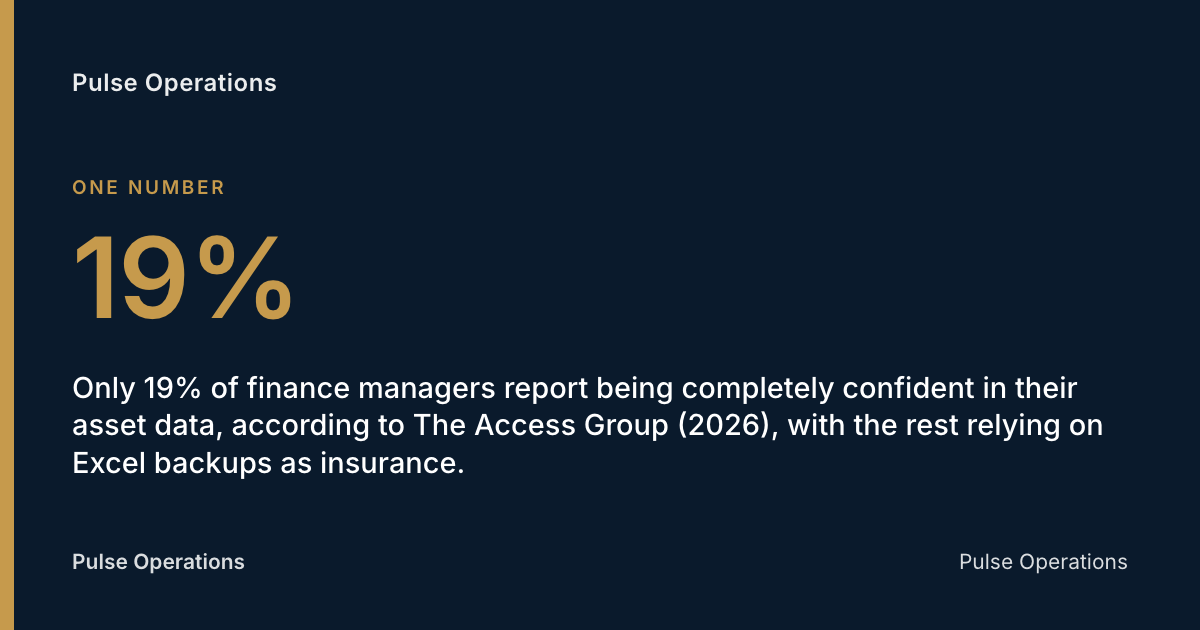
- Only 19% of finance managers report being completely confident in their asset data, according to The Access Group (2026), with the rest relying on Excel backups as insurance.
- As many as 65% of fixed asset records are incomplete, inaccurate, or altogether missing, per FMIS (2026), and 10–30% of listed assets are no longer even owned.
- The UK's workplace and facilities industry generates around £108 billion in business turnover annually, according to IWFM / FM Business Daily (2025), a scale that depends on accurate asset data underneath it.
- The Provision and Use of Work Equipment Regulations 1998 (PUWER), enforced by the Health and Safety Executive, require UK employers to keep inspection records for work equipment — a duty most asset register software is built to satisfy directly.
What is asset register software?
Asset register software is a digital system that records, tracks and reports on every fixed asset a business owns — from vehicles and plant equipment to CCTV cameras and access-control panels — replacing the spreadsheet or paper ledger that most UK companies started with. Each asset typically gets a unique identifier, a purchase date and cost, a current location, a depreciation schedule, and a maintenance or inspection history.
The distinguishing feature isn't the list itself — anyone can build a list in Excel — it's the audit trail. Good asset register software timestamps every change, so when an auditor, insurer or the Health and Safety Executive asks "when was this last inspected?", the answer is a record, not a memory.
For UK facilities management (FM) teams, the asset register usually sits inside a wider CAFM system alongside work orders and planned preventive maintenance (PPM). For finance teams, it sits inside accounting software for depreciation and capital allowances. The two use cases overlap but aren't identical, which is where a lot of buying confusion starts.
What legal or regulatory requirements in the UK require an asset register?
UK company law does not name a "fixed asset register" as a standalone legal document, but several overlapping duties make one practically unavoidable. Pulse Operations notes that the Companies Act 2006 requires companies to keep adequate accounting records showing assets and liabilities, and HM Revenue & Customs expects supporting detail behind any capital allowances claim.
Sector-specific rules go further. PUWER 1998, enforced by the Health and Safety Executive, requires employers to inspect and maintain work equipment and to keep evidence of that inspection — a legal trigger for asset tracking in any FM or security operation running vehicles, ladders, plant or powered access equipment. The Lifting Operations and Lifting Equipment Regulations (LOLER) impose similar record-keeping for lifting gear.
For public sector estates — schools, hospitals, prisons — the stakes are visible at scale: the National Audit Office estimated in January 2026 that maintenance backlogs across these buildings total at least £49 billion, a figure that traces directly back to asset condition data nobody kept properly.
Who is responsible for maintaining the asset register within a UK company?
Responsibility for the asset register typically sits with finance for the accounting register and with facilities or operations management for the physical condition register, and in most mid-sized UK businesses these are two different people looking at two different systems. Finance owns cost, depreciation and disposal for statutory accounts and HMRC capital allowances. Facilities or estates managers own location, condition, inspection dates and maintenance history for operational and safety compliance.
That split is exactly where things go wrong. A van gets sold by operations but never flagged to finance. A fire extinguisher gets replaced but the new one never gets logged. Only 19% of finance managers report being completely confident in their asset data, according to The Access Group (2026), and the remainder keep spreadsheet backups precisely because they don't trust the primary system.
In-house estates teams face the same reporting pressure as outsourced contractors, just aimed inward rather than at a client. The board wants delivered-vs-plan and a compliance picture, same as any client — point the portal at your own stakeholders and the month-end deck assembles itself."
What features should you check for when choosing asset register software?
Asset register software should be evaluated against a checklist that covers financial tracking, physical tracking and compliance evidence — not just one of the three. The features that matter most differ depending on whether the buyer is finance-led or operations-led, but a genuinely useful platform covers both.
Core features worth checking:
- Depreciation tracking — straight-line or reducing-balance calculations that map to UK capital allowances treatment
- Barcode or QR scanning — for rapid stocktakes and physical verification against the register
- Cloud access — multi-site visibility without VPNs or on-site servers
- Photo evidence — proof of condition at the point of inspection, not just a tick box
- Depreciation and disposal workflow — write-offs that update finance automatically
- Integration with accounting software — Xero, Sage or QuickBooks, so asset values flow through without re-keying
- Audit trail — a tamper-evident log of who changed what and when
Industry estimates suggest 5–30% of asset records in a typical CMMS (computerised maintenance management system) are ghost assets — items still listed but no longer in service — rising to as much as 40% in facilities that have never conducted a formal asset audit, per Oxmaint (2026). Photo evidence at each checkpoint is one of the more reliable ways to catch that drift before it compounds.
How does asset register software integrate with UK accounting software?
Asset register software typically integrates with UK accounting platforms — Xero, Sage and QuickBooks are the three named most often — through a direct API sync or a scheduled export that pushes asset cost, depreciation and disposal data into the general ledger. This avoids double entry between an operational asset list and the statutory accounts.
The practical value is in depreciation. Once an asset's purchase cost, useful life and depreciation method are set in the register, the monthly or annual charge should post automatically to the correct nominal code rather than being recalculated by hand at year end. For capital allowances purposes, HMRC still wants an audit trail showing acquisition date, cost and disposal proceeds — the register is where that evidence lives.
Buyers should check two things before assuming integration works out of the box: whether the sync is two-way (so a disposal logged in accounting also updates the physical register) and how often it runs. A nightly batch sync is common; a handful of platforms offer live sync.
What is the difference between an asset register and a fixed asset management system?
An asset register is a record — a structured list of what a business owns, its value and its location. A fixed asset management system is the software platform that maintains that record and adds workflow around it: depreciation calculation, maintenance scheduling, disposal approval and reporting.
Put another way, the register is the data; the management system is the tool that keeps the data accurate over time. Many UK businesses start with a register (often a spreadsheet) and only adopt a management system once the register becomes too large or too error-prone to trust — which, given that as many as 65% of fixed asset records are incomplete, inaccurate or altogether missing according to FMIS (2026), tends to happen sooner than expected.
In FM and security operations specifically, the asset register is usually one module inside a broader CAFM platform that also handles work orders, planned maintenance and compliance documents — because an asset without a maintenance history attached to it is only half useful.
Comparison: spreadsheet register vs dedicated asset register software
| Factor | Spreadsheet register | Dedicated asset register software |
|---|---|---|
| Setup cost | £0 | Free–£15,000+/year depending on scale |
| Audit trail | Manual, easily overwritten | Timestamped, often tamper-evident |
| Multi-user access | Version-control risk | Real-time, permission-based |
| Depreciation calculation | Manual formulas | Automated, integrates with accounting |
| Barcode/photo evidence | Not supported | Standard on most platforms |
| Ghost asset detection | Relies on manual audit | Flags stale or unverified records |
| Best suited to | Under 50 assets, single site | Multi-site, regulated, or high-asset-count businesses |
How much does asset register software typically cost in the UK, and are there free options?
Asset register software in the UK ranges from free spreadsheet templates for very small businesses to enterprise CAFM platforms costing several hundred pounds a month, with the right tier depending almost entirely on asset volume and how many sites need visibility. Free or low-cost tools — spreadsheet templates, basic mobile apps, or the asset module bundled into cheaper accounting packages — suit sole traders and businesses with under 50 tracked assets and no multi-site or compliance pressure.
Mid-market cloud platforms aimed at SMEs with multiple sites or a few hundred assets typically sit in the low hundreds of pounds per month as an illustrative range. Enterprise CAFM systems, which bundle the asset register with work orders, PPM scheduling and helpdesk SLAs across large estates, scale into the thousands per month.
For FM and security operators specifically, the asset register rarely needs to be bought as a standalone product — it's usually cheaper and more useful bundled inside a platform that already handles work orders and compliance. Pulse Operations publishes its pricing openly, priced per operative with unlimited sites and free admin seats, rather than charging separately for an asset module.
Common mistakes UK businesses make with their asset register
Most asset register failures in UK businesses come down to the same handful of avoidable habits, repeated across finance-led and operations-led registers alike.
- Treating the register as a one-off project rather than a living record updated at the point of change
- Splitting finance and operational registers with no reconciliation process between them
- Skipping physical verification and trusting the paper record over what's actually on site
- No clear owner for updates when an asset is moved, disposed of or replaced
- Ignoring ghost assets — items still listed but long gone — which FMIS (2026) puts at 10–30% of typical fixed asset lists
- No integration with accounting software, forcing manual re-entry and creating two versions of the truth
- Underestimating implementation time, then rushing migration and carrying errors straight into the new system
In practice, this is exactly the failure mode that visible multi-site rounds expose fastest. On a prestige central-London residential estate running sixteen buildings on one nightly patrol round, Priority First — the founding team's own London security & FM operation, and the operation Pulse was built inside before being offered to other operators — found the estate couldn't see delivered-vs-contracted work without ringing the office. Once each building was set up as its own site with its own checkpoints and evidence trail, patrols since March 2026 went from one vague "round complete" note to more than 4,100 recorded, roughly 250–280 per building, with 100% of checkpoint completions photo-verified. The same principle applies to any asset register: an item without a verifiable, timestamped record is functionally a guess.
Your asset register software checklist
- Confirm whether the tool integrates with your accounting software (Xero, Sage or QuickBooks)
- Check whether depreciation is calculated automatically against UK capital allowances rules
- Ask how the audit trail works and whether records are tamper-evident
- Verify barcode, QR or photo-based physical verification is included
- Establish one named owner for the register, not a split between finance and operations
- Run a ghost asset check before migrating — don't import errors into a new system
- Confirm cloud access and multi-site visibility if you operate across more than one location
- Ask the vendor what migration and setup actually involves before signing
FAQ
What is asset register software and what does it do?
Asset register software is a digital system that records every fixed asset a business owns, tracking its value, location, condition and maintenance history in one place. It replaces manual spreadsheets with a searchable, auditable record that supports both financial reporting and operational compliance.
How much does asset register software cost in the UK?
Costs range from free spreadsheet templates for very small businesses to several hundred pounds a month for mid-market cloud platforms, and into the thousands per month for enterprise CAFM systems covering large, multi-site estates. The right tier depends on asset volume, site count and whether compliance features are needed.
Are there free or low-cost asset register tools for small UK businesses?
Yes — free spreadsheet templates and basic mobile apps suit sole traders or businesses with under roughly 50 tracked assets and no multi-site pressure. As asset count or site count grows, the lack of an audit trail and depreciation automation in free tools tends to become a limiting factor quickly.
Is a fixed asset register a legal requirement in the UK?
There is no single law naming a "fixed asset register" as mandatory, but the Companies Act 2006 requires adequate accounting records, and regulations like PUWER 1998 require inspection records for work equipment. In practice, these overlapping duties make a maintained asset register unavoidable for most businesses.
Who is responsible for maintaining the asset register in a UK company?
Responsibility usually splits between finance, which owns cost and depreciation for statutory accounts, and facilities or operations management, which owns location, condition and inspection history. The most common cause of register errors is a lack of one clear owner reconciling the two.
What's the difference between an asset register and a CAFM system?
An asset register is the underlying data — what a business owns and its value. A CAFM (computer-aided facilities management) system is the software platform that maintains that data and adds workflow around it, including work orders, planned maintenance and compliance scheduling.
How does asset register software integrate with Xero, Sage or QuickBooks?
Most platforms sync asset cost, depreciation and disposal data into the accounting platform's general ledger via an API or scheduled export, avoiding manual re-entry. Buyers should check whether the sync is two-way and how frequently it runs, since a handful of platforms only sync nightly rather than in real time.
Securing your asset register with Pulse Operations
Facilities and security operators reading this guide are usually here because their asset register has drifted from reality — items no one can locate, inspection dates no one can prove, a spreadsheet three people update differently. Pulse Operations builds the asset register as part of its facilities and work orders module, sitting alongside PPM scheduling, helpdesk SLAs and permits, so an asset's maintenance history isn't a separate document from the work order that created it.
The same evidence discipline runs through every part of the platform: checkpoints on mobile patrol and keyholding rounds are completed only by a mandatory watermarked photograph — officer, site, GPS, time — rather than a QR or NFC tag scan, and Pulse Operations's benchmark data shows 96.2% of checkpoints across live operations carry that photo over a trailing 90-day period (as of July 2026 — see /benchmark). That same principle — a record that proves itself rather than asking to be trusted — is what an asset register needs to actually hold up under audit.
Every plan includes guided setup, migration and a parallel run on one site, and most firms switch fully within a fortnight. If your asset register needs rebuilding on something more durable than a spreadsheet, get in touch with Pulse Operations or see published pricing at /pricing.
Related Reading
- Building Compliance Tracking Software UK | 2026 Guide
- Contractor Management Software for Facilities (2026 Guide)
- Permit to Work Software UK: 2026 Buyer's Guide
Add pulse-operations.co.uk as a preferred source on Google
Back to all insights