
Last updated: 25 October 2026
Compliance calendar software for buildings is a digital system that schedules, tracks and evidences statutory deadlines — fire risk assessments, gas safety checks, lift inspections, EPC renewals — automatically flagging what's due. UK facilities relying on spreadsheets pass only 52% of regulatory audits first time, against 91% for those using integrated software, Oxmaint (2026) reports.
Key Takeaways
- Pulse Operations notes that compliance calendar software for buildings automates statutory deadline tracking across fire safety, gas, electrical, lifts and EPC renewals, replacing spreadsheets and paper diaries.
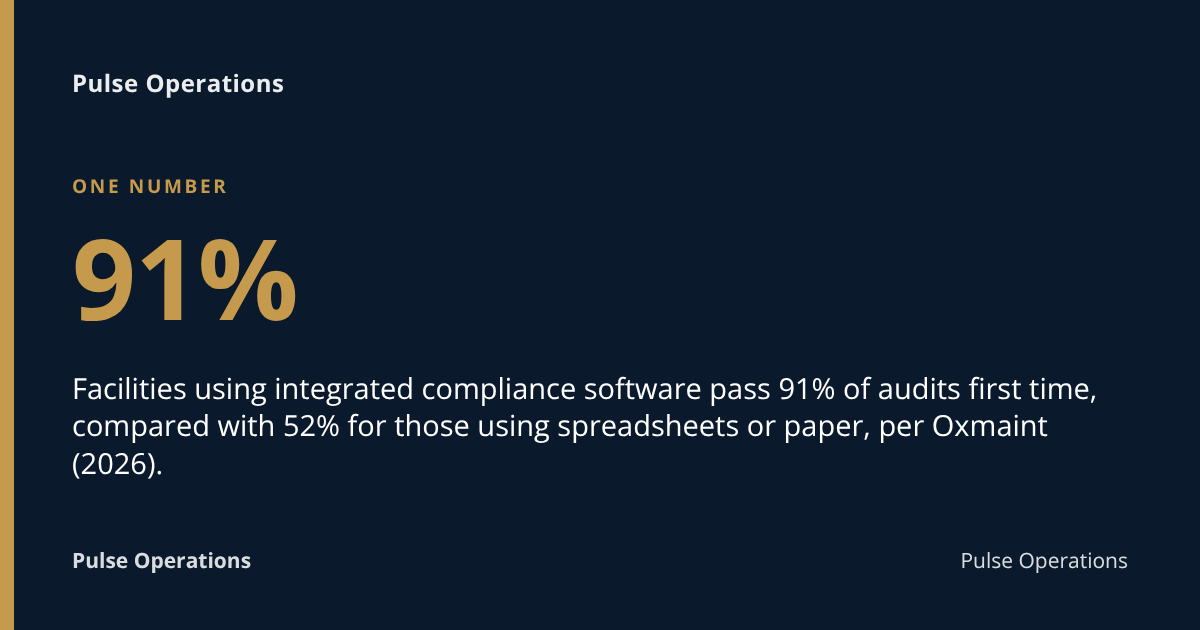
- Facilities using integrated compliance software pass 91% of audits first time, compared with 52% for those using spreadsheets or paper, per Oxmaint (2026).
- A typical regulated facility manages 50+ recurring compliance deadlines a year, plus 10+ regulatory programmes and 25+ training requirements, per Ecesis (2026).
- Since 1 October 2023, section 156 of the Building Safety Act 2022 requires every responsible person in England and Wales to record a full fire risk assessment, regardless of staff numbers, per ClickHSE (2023).
- Audit preparation that once took 40–80 hours of document hunting can take 5 minutes with a digital platform and PDF export, per Oxmaint (2026).
What is compliance calendar software for buildings?
Compliance calendar software for buildings is a digital scheduling and record-keeping system that tracks every statutory inspection, certificate renewal and recurring legal duty attached to a property or portfolio. It sits somewhere between a diary, a document store and an audit trail — generating reminders before deadlines, logging who completed each task, and storing the evidence a regulator or insurer would ask for.
The category overlaps with CAFM — computer-aided facilities management, the broader software class covering maintenance, assets and helpdesk functions — but a compliance calendar is narrower and sharper: its job is to make sure nothing statutory slips, and to prove it didn't.
For a facilities team managing even a handful of sites, the scale of what needs tracking is substantial. A typical facility in a regulated industry faces 50+ recurring compliance deadlines per year, 10+ regulatory programmes to track, 25+ training requirements with due dates, and 12+ permit and plan renewals to manage, according to Ecesis (2026). Multiply that across a portfolio of buildings in Manchester, Birmingham and London, and a spreadsheet stops being a plan and starts being a liability.
What UK building compliance deadlines does this software typically track?
UK building compliance software typically tracks fire risk assessments, gas safety checks, electrical inspections, lift and lifting equipment examinations, legionella risk assessments, asbestos surveys, EPC renewals and fire door inspections — each with its own statutory or recommended frequency. Missing any one of these isn't a paperwork slip; it's a breach of a specific duty under UK law.
Common recurring items on a building compliance calendar include:
- Fire risk assessment — reviewed regularly and in full, as required under the Regulatory Reform (Fire Safety) Order 2005
- Gas safety checks — annual, under the Gas Safety (Installation and Use) Regulations 1998, for let residential property
- Portable Appliance Testing (PAT) and fixed wire electrical inspections (EICR), typically every five years for commercial premises
- Lift and lifting equipment examinations — thorough examination under LOLER, usually every six months for passenger lifts
- Legionella risk assessments — reviewed periodically under HSE's Approved Code of Practice L8
- Fire door inspections — commonly quarterly in communal areas of higher-risk residential buildings, per London Fire Brigade guidance on the Fire Safety (England) Regulations 2022
- EPC (Energy Performance Certificate) renewal — every ten years, or on sale/let
- Asbestos surveys and management plans, under the Control of Asbestos Regulations 2012
Each of these carries a different interval, a different duty holder, and a different record format — which is precisely why a single calendar, rather than six separate diaries, matters. Pulse Operations builds this logic into its own compliance runway, which sits SIA licensing, BS 7858 screening, DBS checks, right-to-work documents, training and statutory building compliance on one expiries timeline, alongside Martyn's Law readiness assessments under the Terrorism (Protection of Premises) Act 2025.
Who is legally responsible for building compliance in the UK?
The "responsible person" under fire safety law, the "duty holder" under health and safety law, or the landlord and managing agent under tenancy law — the exact title depends on the regulation, but responsibility is never optional and rarely sits with software alone. Software supports whoever holds the legal duty; it doesn't replace them.
Under the Regulatory Reform (Fire Safety) Order 2005, the responsible person is usually the employer, building owner, occupier or managing agent — whoever has control of the premises. Since 1 October 2023, section 156 of the Building Safety Act 2022 requires all responsible persons in England and Wales to record their fire risk assessment in full, regardless of the number of employees, per ClickHSE (2023). That's a significant tightening — small landlords who previously relied on informal checks now need documented, retrievable records.
For higher-risk buildings — broadly, residential blocks of 18 metres or seven storeys or more — the Building Safety Act 2022 introduces the "Accountable Person" and the Building Safety Regulator, requiring a "golden thread" of digital safety information maintained throughout a building's life. Under the Health and Safety at Work etc. Act 1974, employers also owe a general duty of care to anyone affected by their undertaking, including contractors, visitors and the public.
In practice, legal responsibility rarely transfers to a managing agent or FM provider by contract alone — it's assigned by statute, and the paperwork needs to show who did what, when, and under whose instruction.
What are the key UK regulations this software needs to help comply with?
Building compliance software needs to map directly onto named UK legislation rather than generic "regulatory requirements," because each regulation sets its own frequency, record format and responsible party. The core framework includes:
| Legislation/standard | What it governs | Typical interval |
|---|---|---|
| Regulatory Reform (Fire Safety) Order 2005 | Fire risk assessments, means of escape | Reviewed regularly; recorded in full since Oct 2023 |
| Building Safety Act 2022 | Higher-risk buildings, golden thread, Accountable Person duties | Ongoing, "safety case" approach |
| Health and Safety at Work etc. Act 1974 | General duty of care to employees and others | Ongoing |
| LOLER 1998 | Lifts and lifting equipment | Typically 6 months (passenger lifts) |
| Control of Asbestos Regulations 2012 | Asbestos surveys and management plans | Periodic review |
| Gas Safety (Installation and Use) Regulations 1998 | Gas appliance checks in let property | Annual |
| Fire Safety (England) Regulations 2022 | Fire doors, firefighting equipment in multi-occupied residential | Quarterly (fire doors, communal) |
| Terrorism (Protection of Premises) Act 2025 (Martyn's Law) | Public premises security preparedness | Ongoing assessment |
A system built around named regulations — rather than vague "compliance tasks" — is also what distinguishes a credible audit trail from a generic to-do list. The Facilio guide to UK statutory compliance and the Building Safety Regulator guidance on fire door inspection both set out this same structure: name the law, state the interval, record the evidence.
How does compliance calendar software compare to spreadsheets or manual reminders?
Spreadsheets and calendar reminders can track dates, but they can't prove what happened on the day, and that gap is exactly where audits fail. The practical difference shows up in two places: pass rates and preparation time.
Facilities using integrated compliance management software pass 91% of regulatory audits on first attempt, compared to 52% for facilities relying on paper-based or spreadsheet tracking systems, per Oxmaint (2026). The gap isn't really about reminders — most property managers don't forget a renewal date entirely. It's about evidence: who did the inspection, what did they find, and can you produce the record in under a minute when an auditor, insurer or tenant asks.
Audit preparation that used to take facilities teams 40–80 hours of document hunting can now take 5 minutes with a digital compliance platform and PDF export, according to the same Oxmaint research. That's the real cost of manual tracking — not the missed deadline itself, but the week lost reconstructing proof after the fact.
There's a maintenance knock-on effect too. Buildings where more than 90% of scheduled preventive maintenance is completed on time have emergency repair rates roughly 60% lower than those running below 70% PM completion, per Oxmaint (2026). A compliance calendar that's actually followed doesn't just avoid fines — it reduces emergency callouts.
Spreadsheet vs compliance calendar software — the trade-off
| Factor | Spreadsheet / manual | Compliance calendar software |
|---|---|---|
| Deadline visibility | Manual entry, easy to lose a row | Automated alerts before due date |
| Evidence of completion | Scattered emails, photos, paper files | Centralised, timestamped records |
| Audit prep time | Hours to days per audit | Minutes, via export |
| Multi-site visibility | One file per site, no roll-up | Portfolio-wide dashboard |
| Tamper resistance | None — rows can be edited silently | Logged, often tamper-evident |
| Cost | "Free" but hidden labour cost | Subscription, scales with portfolio |
For a single building with a handful of certificates, a well-maintained spreadsheet can limp along. Past three or four sites, or once a residential block falls under higher-risk building rules, the manual approach stops scaling — not because the dates get harder to track, but because proving compliance after the fact becomes a scramble.
What features should UK businesses check for when comparing compliance calendar software?
Compliance calendar software should be judged against a specific checklist of features, not a generic feature list, because the gap between vendors usually shows up in evidence quality rather than the calendar view itself. Before comparing providers, check for:
- Named regulation mapping — does it track against the Fire Safety Order 2005, LOLER, the Building Safety Act 2022 and other specific legislation, or just generic "tasks"?
- Evidence capture, not just date logging — photos, signatures, timestamps and location data attached to each completed check
- Multi-site/portfolio dashboards showing delivered-vs-due across every building, not one spreadsheet tab per site
- Tamper-evident audit logs — records that can't be quietly edited after a missed deadline
- Escalation and alerting — automatic notification to the duty holder, not just the person who happens to open the spreadsheet
- UK data hosting — relevant for any organisation handling personal data under UK GDPR and the ICO's guidance
- Export and reporting for insurers, auditors and client reporting, ideally in minutes rather than days
- Integration with wider FM operations — work orders, PPM schedules and contractor management, so compliance isn't siloed from maintenance
Pulse Operations applies the same evidence-first logic across its own compliance runway: every expiry — SIA licence, BS 7858 screening certificate, DBS check, training record, statutory building compliance item — sits on one timeline rather than scattered across HR files and site folders. The audit log behind it is hash-chained using SHA-256 and tamper-evident, with a built-in integrity check that walks the whole chain, so a record can't be silently backdated after the fact.
How much does compliance calendar software typically cost in the UK?
UK compliance calendar software pricing generally follows one of three models: per building, per user/seat, or a flat portfolio subscription, with enterprise tiers for larger estates. Costs vary enormously depending on whether compliance tracking is a standalone product or bundled into a wider CAFM or operations platform.
As an illustrative guide, smaller standalone compliance tools for a handful of buildings often sit in a modest monthly range, while full CAFM suites covering maintenance, assets and compliance scale into thousands of pounds a month for larger portfolios. Pricing models to expect:
- Per building/site — straightforward to budget, but can penalise portfolios with many small sites
- Per user/seat — can become expensive as more staff need visibility (inspectors, contractors, clients)
- Flat subscription by tier — often Core/Professional/Enterprise bands, with features gated by tier
The broader compliance software market context explains why pricing has been rising: 70% of compliance professionals expect their compliance budget to increase in the coming year, driven by the growing volume and pace of regulatory change, per the Thomson Reuters 2024 Cost of Compliance Report (via Quickbase). That's consistent with the wider market trajectory — the global compliance software market is worth USD 40.82 billion in 2026, growing at a CAGR of 12.67% to reach USD 74.12 billion by 2031, per Mordor Intelligence (2026).
Pulse Operations publishes its own pricing openly at /pricing rather than requiring a sales call — priced per operative, with unlimited sites and free admin, control-room and client-portal seats on every tier, so a growing portfolio isn't taxed for adding visibility rather than headcount.
What common mistakes do UK property managers make with compliance deadlines?
Property managers most often fail not because they miss a date on a calendar, but because they can't produce proof the work was actually done to the standard required. The most common mistakes compliance software is built to prevent:
- Relying on a single person's memory or inbox for renewal dates, with no backup if that person is on leave or leaves the business
- Storing evidence across multiple formats — paper certificates, emails, photos on a personal phone — with no central index
- Treating "scheduled" as "done" — logging that an inspection was booked, not confirming it happened and what it found
- Missing the difference between frequencies — assuming an annual gas check and a six-monthly lift examination run on the same clock
- No escalation path when a contractor misses an appointment, so a missed visit becomes a missed deadline silently
- Underestimating higher-risk building duties — not registering the shift in obligations once a residential block crosses the Building Safety Act 2022's higher-risk threshold
Pulse Operations saw a version of this problem first-hand inside its own founding operation. Priority First — the London security and FM business the Pulse platform was built inside, before being offered to other operators — ran on paper sign-in sheets, jobs passed around informally, and expiries tracked in a spreadsheet nobody fully trusted. When a client called at 7am asking whether everything had been covered overnight, there was no quick way to answer with evidence. Moving the business onto one platform, with every checkpoint backed by a mandatory record, is what turned "trust us" into "see for yourself" — the same shift compliance calendar software needs to make for statutory building deadlines.
Your building compliance calendar checklist
- Map every statutory deadline to its named legislation — Fire Safety Order 2005, LOLER, Gas Safety Regulations 1998, and so on
- Identify the responsible person or duty holder for each obligation, in writing, not by assumption
- Set automatic alerts at least 30 days before each renewal, not just on the due date
- Attach photo or document evidence to every completed check, not just a tick
- Build a portfolio-wide dashboard so no single building's status depends on one person checking a folder
- Confirm records are tamper-evident, so a late entry can't be quietly backdated
- Test your audit export — can you produce a full compliance file in under an hour, not days?
- Review higher-risk building status annually against the Building Safety Act 2022 thresholds
FAQ
What is compliance calendar software for buildings?
Compliance calendar software for buildings is a digital system that schedules, tracks and evidences statutory building deadlines — fire risk assessments, gas checks, lift inspections, EPC renewals — and stores proof that each was completed, rather than just logging a date in a diary.
Who is legally responsible for building compliance in the UK?
Legal responsibility sits with the "responsible person" under fire safety law, the duty holder under health and safety law, or the Accountable Person for higher-risk buildings under the Building Safety Act 2022 — typically the building owner, employer or managing agent, depending on which regulation applies.
What happens if a building misses a compliance deadline in the UK?
Missing a compliance deadline can mean enforcement action from the relevant regulator, invalidated insurance, and personal liability for the responsible person, since the Regulatory Reform (Fire Safety) Order 2005 and the Health and Safety at Work etc. Act 1974 both carry criminal sanctions for serious breaches.
How is compliance calendar software different from a CAFM system?
Compliance calendar software focuses specifically on statutory deadlines and evidence, while CAFM (computer-aided facilities management) is the broader category covering maintenance, assets, helpdesk and work orders — many modern platforms, including Pulse Operations's facilities and work orders module, combine both.
Does the Building Safety Act 2022 change how compliance should be recorded?
Yes. Since 1 October 2023, section 156 of the Act requires all responsible persons in England and Wales to record their fire risk assessment in full, regardless of staff numbers, per ClickHSE (2023), and higher-risk buildings must maintain a "golden thread" of digital safety information throughout.
How much does compliance calendar software cost for a small UK portfolio?
Costs vary by provider and model — per building, per user, or flat subscription — with standalone tools typically cheaper than full CAFM suites; checking a published pricing page, such as Pulse Operations's /pricing, against your portfolio size is the fastest way to compare real costs.
Can compliance calendar software manage multiple buildings at once?
Yes — portfolio-wide dashboards are a standard feature, letting a facilities team see delivered-vs-due status across every site from one screen, which matters most once a portfolio crosses three or four buildings and a single spreadsheet stops scaling.
Securing your building compliance with Pulse Operations
Managing statutory building deadlines alongside security operations is exactly the gap Pulse Operations was built to close — a single expiries runway rather than separate systems for guarding compliance and building compliance. The platform's compliance runway tracks SIA licensing, BS 7858 screening, DBS checks, right-to-work documents, training and statutory building compliance items, including Martyn's Law readiness, on one timeline rather than six.
That approach was proven inside Priority First, the founding team's own London security and FM operation, where compliance tracking moved from a spreadsheet nobody trusted onto one platform covering 24 sites within six months of go-live. The hash-chained, tamper-evident audit log behind it means a compliance record — building or personnel — can't be quietly backdated after a missed deadline.
If your building portfolio is still tracking statutory deadlines across spreadsheets and separate systems, get in touch with Pulse Operations to see how the compliance runway handles both sides of the problem on one login.
Related Reading
- Building Compliance Tracking Software UK | 2026 Guide
- Asset Register Software for Buildings | UK Guide 2026
- Contractor Management Software for Facilities (2026 Guide)
Add pulse-operations.co.uk as a preferred source on Google
Back to all insights