Last updated: 22 October 2026
CAFM software — computer-aided facility management software — is the system that lets a facilities team run work orders, planned maintenance, assets and compliance from one record instead of spreadsheets. The global CAFM market is valued at USD 1.37 billion in 2026, growing toward USD 1.86 billion by 2030, according to Research and Markets (2026).
Key Takeaways
- CAFM software can deliver 30–70% time savings on administrative tasks and 10–30% savings on upkeep and repair costs, according to GEFMA 460 research cited by 1Spatial (2026).
- Cloud-based CAFM deployments captured 58.2% of market share by 2026, per Dataintelo (2026), reflecting a shift away from on-premise servers for UK facilities teams.
- The UK facilities management market is worth an estimated £120 billion and employs over 10% of the UK workforce, according to The Mandatory Training Group (2023).
- Predictive maintenance built on CAFM data can cut maintenance costs by 18–25% and reduce unplanned downtime by up to 50%, per Facilio, citing McKinsey & Company (2020).
- Facilities teams running security alongside FM face a related problem CAFM alone doesn't solve: proving guarding and patrol work actually happened, which is where a platform like Pulse Operations fits beside — not instead of — a CAFM system.
What is CAFM software?
CAFM software is a category of computer-aided facility management platform that digitises the day-to-day running of a building or estate — work orders, planned preventive maintenance (PPM), asset registers, helpdesk tickets and compliance tracking — replacing spreadsheets, email threads and paper logs with one shared system of record.
A facilities team typically uses CAFM software to log a reactive repair the moment it's reported, assign it to an in-house engineer or contractor, track the job against a service level agreement (SLA), and close it out with photo evidence and a cost code attached. The same system schedules recurring PPM — fire alarm tests, water hygiene checks, lift servicing — against statutory or manufacturer-recommended frequencies, so nothing slips because someone forgot to diary it.
Software dominates the broader CAFM market, with an 81.2% market share, and large enterprises lead adoption with a 61.1% share of the enterprise-size segment, according to Future Market Insights (2026). That split matters for UK buyers: most CAFM product road maps are still built around large-enterprise estates management rather than the lean, multi-contractor reality of a mid-sized FM provider or in-house team covering a handful of sites.
CAFM also captures the asset register — every boiler, lift, fire door and HVAC unit on an estate — with service history, warranty data and depreciation attached, which is what turns a reactive maintenance function into a planned one.
What's the difference between CAFM, CMMS, and IWMS software?
CAFM, CMMS and IWMS are three overlapping but distinct categories of facilities technology, and the confusion between them is one of the most common reasons UK organisations buy the wrong tool.
CMMS (computerised maintenance management system) is the narrowest of the three — it focuses purely on maintenance: work orders, asset history, spare parts inventory and PPM scheduling. A CMMS doesn't typically cover space planning, helpdesk ticketing or compliance documentation beyond maintenance records.
CAFM sits a tier above CMMS. It includes maintenance management but adds space and occupancy management, helpdesk and service requests, contractor management, and often health and safety or statutory compliance tracking — the fuller operational picture a facilities manager needs day to day.
IWMS (integrated workplace management system) is the broadest category, adding real estate and lease management, capital project management, sustainability and ESG reporting, and strategic portfolio planning on top of everything CAFM covers. IWMS platforms are generally priced and built for large corporate estates with property portfolios, not single-site or mid-market operators.
| Category | Core focus | Typical buyer | Includes compliance tracking? |
|---|---|---|---|
| CMMS | Maintenance & asset work orders | Engineering/maintenance teams | Limited |
| CAFM | Maintenance + space + helpdesk + compliance | FM teams, mid-to-large estates | Yes |
| IWMS | CAFM + real estate, leases, ESG, capital projects | Large corporates, property portfolios | Yes, plus strategic reporting |
The practical takeaway for most UK facilities teams: don't buy IWMS features you'll never use. A lean FM provider managing retail units, offices or residential blocks rarely needs lease administration or capital project modules — it needs reliable work orders, PPM and a compliance runway it can hand to an auditor without a scramble.
How much does CAFM software typically cost in the UK?
CAFM software in the UK is typically priced per user, per site, or per asset under management, with total cost of ownership shaped as much by implementation and data migration as by the licence fee itself.
Enterprise CAFM platforms built for large estates generally sit at the higher end of the market, reflecting the 61.1% enterprise-size market share reported by Future Market Insights (2026) — these systems are priced and configured for organisations with dozens of sites and complex approval chains. Mid-market and SME-focused CAFM tools are typically priced more modestly, often per user or per module, but implementation, data cleansing and training can still add significant cost on top of the headline licence price.
Three cost components matter more than the sticker price:
- Licensing — monthly or annual subscription, usually scaled by number of users, sites or assets.
- Implementation — data migration from spreadsheets or a legacy CAFM, asset register build, and system configuration.
- Ongoing admin time — someone has to own the system, chase data quality and run reports, which is a people cost, not a software line item.
A facilities team considering CAFM alongside a security or patrol function should budget separately for proof-of-work tooling — CAFM tracks the asset and the job, but it typically doesn't verify that a patrol was physically walked or a checkpoint checked. That's a distinct problem with a distinct cost, covered further down.
What features should a facilities team prioritise when comparing CAFM systems?
Facilities teams should prioritise work order management, PPM scheduling, asset registers, helpdesk/SLA tracking and compliance documentation above cosmetic dashboard features when comparing CAFM systems, because these five functions cover the majority of day-to-day FM activity.
In order of practical priority:
- Work orders with contractor cost tracking — every reactive and planned job logged, assigned, and closed with cost against it.
- PPM scheduling — statutory and manufacturer-driven maintenance scheduled automatically against frequency rules, not a wall planner.
- Asset register — every piece of plant and equipment with service history, location and warranty status.
- Helpdesk with SLA tracking — service requests logged by tenants or staff, routed to the right team, timed against response and fix SLAs.
- Permits to work — hot work, confined space and contractor permits issued and tracked against expiry.
- Compliance and statutory inspection tracking — fire safety, Legionella, asbestos, electrical testing, lift LOLER inspections, all with evidence attached and renewal dates visible.
- Reporting — delivered-vs-planned PPM completion, open job ageing, cost-per-site, exportable for board or client reporting.
A facilities team running mixed FM and security operations should also check whether the CAFM vendor covers guarding-specific needs — rostering against contracted hours, lone-worker safety, SIA licence expiry tracking — or whether that sits outside its scope entirely. Pulse Operations's Facilities & work orders module covers work orders, PPM, helpdesk SLAs, permits and asset registers alongside the security-specific functions — patrols, incidents, SIA and BS 7858 compliance — that a standalone CAFM platform generally won't touch.
Does CAFM software help with UK compliance requirements?
CAFM software helps UK organisations evidence statutory compliance by scheduling inspections against legal frequencies and storing the proof — certificates, test records, sign-offs — against each asset, which is what an auditor or enforcement officer actually asks to see.
UK facilities teams carry duties under the Health and Safety at Work etc. Act 1974 and the associated Workplace (Health, Safety and Welfare) Regulations 1992, which the HSE summarises as covering ventilation, lighting, maintenance of equipment and welfare facilities. A CAFM system that schedules PPM against these requirements — and keeps the evidence trail — turns a legal obligation into a reportable, auditable record rather than a filing cabinet nobody trusts.
Many organisations align their facilities operation to ISO 41001:2018, the international standard for facility management systems, using CAFM as the evidence engine behind that management system. The Institute of Workplace and Facilities Management (IWFM) — the UK's professional body for the sector — provides further standards and guidance that many CAFM configurations are built around.
Where CAFM typically stops short is security and life-safety compliance that sits outside the building fabric: SIA licence expiry, BS 7858 vetting renewal, and the new duties under the Terrorism (Protection of Premises) Act 2026, known as Martyn's Law. Pulse Operations's compliance runway tracks SIA, BS 7858, DBS, right to work, training and statutory building compliance alongside Martyn's Law readiness on one expiries screen — the piece a pure-play CAFM platform generally doesn't cover. The guide, Martyn's Law: a readiness guide for security & FM teams, sets out the two-tier system: standard tier broadly covers premises where 200 to 799 people may be present, and enhanced tier — carrying heavier duties including a documented, continuously-current risk assessment — broadly covers 800 or more.
"Ask three things: what can I put in front of a client if a night is disputed, what happens when the phone has no signal, and what does leaving look like. Any vendor who dodges the third question is telling you something about the first two." — Mo Hassan, Founder, Pulse
Can CAFM software integrate with existing systems like BMS, HR, or finance platforms?
CAFM software generally integrates with building management systems (BMS), HR platforms and finance/ERP software through APIs, though the depth of that integration varies significantly between vendors and deployment types.
A BMS integration typically lets CAFM pull fault alerts directly into the work order queue — a chiller fault raised by the BMS becomes a logged job automatically, rather than relying on someone noticing an alarm screen. Finance integration usually covers purchase order approval and cost coding, so contractor invoices reconcile against the budget without manual re-keying. HR integration is often lighter — mainly for syncing starters, leavers and org structure so the CAFM system's permissions stay current.
Cloud-based CAFM deployments, which captured 58.2% of market share by 2026 according to Dataintelo (2026), are generally easier to integrate than on-premise legacy systems because they expose modern APIs rather than requiring custom middleware. That's one reason the market has moved decisively toward cloud.
Facilities teams managing security alongside FM should note that most CAFM platforms don't natively integrate with guarding-specific data — rostering, time and attendance, or patrol verification. Pulse Operations runs rostering, time and attendance and payroll-ready exports in the same platform as FM work orders, which removes one integration gap rather than adding a bridge between two separate systems.
Is cloud-based or on-premise CAFM better suited for UK facilities teams?
Cloud-based CAFM is better suited to most UK facilities teams in 2026, reflecting the 58.2% market share cloud deployments held by 2026 according to Dataintelo (2026), because it removes server maintenance overhead and gives mobile field staff real-time access.
| Factor | Cloud-based CAFM | On-premise CAFM |
|---|---|---|
| Upfront cost | Lower — subscription model | Higher — hardware and licences |
| IT maintenance | Handled by vendor | In-house IT burden |
| Mobile/offline access | Strong, app-based | Often limited |
| Data control | Vendor-hosted (check UK hosting) | Fully in-house |
| Update speed | Continuous, automatic | Scheduled, manual |
| Best suited to | Multi-site, mobile workforces | Highly regulated, single-site estates with strict data residency needs |
The main caution for UK buyers moving to cloud CAFM is data residency and hosting location — a facilities team handling sensitive site or tenant data should confirm exactly where the data sits and who can access it. Pulse Operations is UK-built and UK-hosted, with tenant isolation enforced in the data layer, which is the standard a UK-focused buyer should hold any cloud vendor to, CAFM or otherwise.
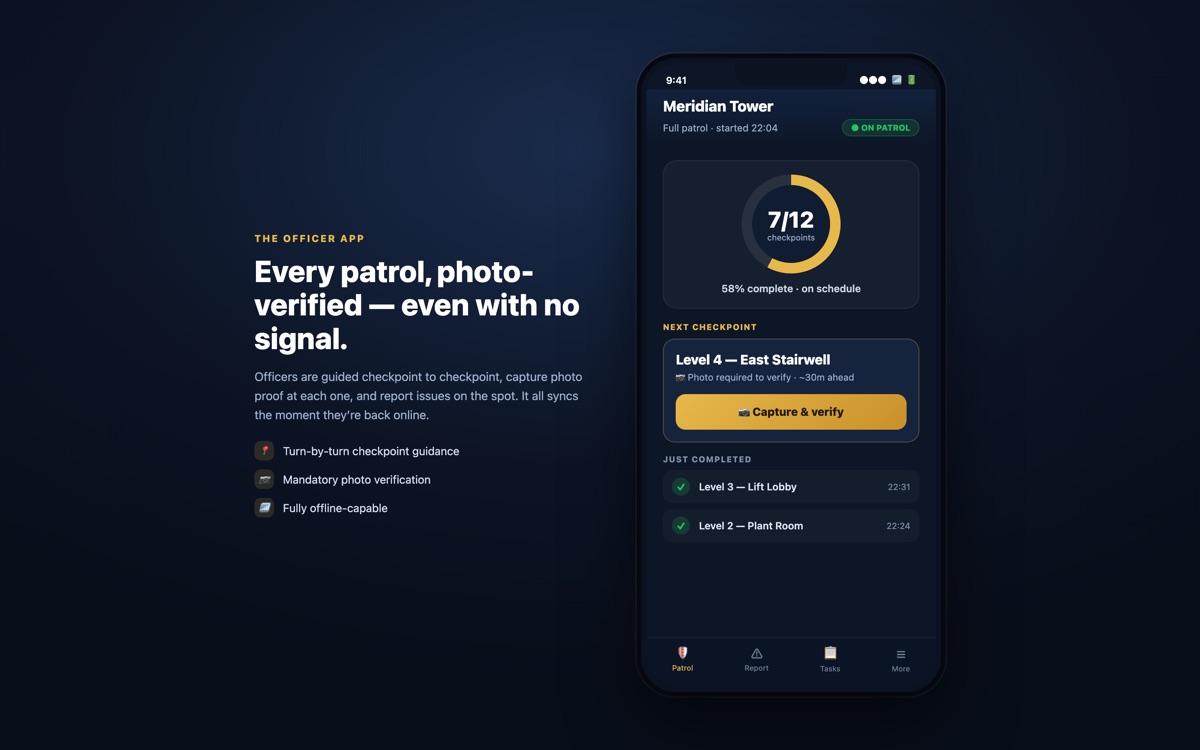
Offline reliability matters just as much as hosting location for field teams working in plant rooms, basements or rural sites with poor signal. Pulse Operations's officer app is offline-first with self-healing sync, so a mobile worker's record completes whether or not the building has signal, and most product improvements reach phones over the air the same day.
What are the common mistakes organisations make when selecting or rolling out CAFM software?
The most common CAFM rollout mistake is buying for the estate an organisation hopes to have rather than the one it runs today — paying for IWMS-grade lease and capital project modules that a single-site or mid-market FM operation will never use.
Other recurring mistakes:
- No single system owner. CAFM data quality collapses without a named administrator responsible for asset data, user access and report accuracy.
- Migrating dirty data. Importing an inaccurate spreadsheet into a shiny new system just produces an inaccurate CAFM system.
- Underestimating training time. Field staff and contractors need to actually use the mobile app for the data to be real; a system only head office touches isn't a system of record, it's a reporting tool with gaps.
- Treating compliance as a bolt-on. Statutory inspection tracking configured as an afterthought, rather than built into the PPM schedule from day one, is how renewal dates get missed.
- No parallel run before cutover. Switching every site on the same day, with no fallback, is how a go-live turns into a support incident.
In practice, mobilisation speed and data readiness from day one matter more than most buyers expect. When Priority First — the founding team's own London security and FM operation that Pulse Operations was built inside, before being offered to other operators — added three buildings to its estate in a single July fortnight, checkpoints, site notes, prior issues and induction history were loaded into the platform before officers arrived on site, so new officers started with full site history on day one rather than relying on whatever was in someone's head. That's the standard a CAFM or operations rollout should be held to: data ready before go-live, not discovered afterwards.
Who should manage and administer the CAFM system?
A named system administrator — typically a facilities manager, FM coordinator or compliance lead — should own the CAFM system, responsible for data accuracy, user permissions, report generation and liaison with the software vendor.
In larger organisations this is often a dedicated CAFM or systems coordinator role sitting within the facilities team, reporting to the head of FM or estates. In smaller teams it's usually the facilities manager themselves, supported by the vendor's customer success function. Either way, the mistake to avoid is leaving ownership diffuse — if everyone can edit the asset register and nobody is accountable for it, the data degrades within months.
"In-house teams deserve the same rigour contractors sell. The board wants delivered-vs-plan and a compliance picture, same as any client — point the portal at your own stakeholders and the month-end deck assembles itself." — Mo Hassan, Founder, Pulse
That discipline applies equally to in-house estates teams and outsourced FM or security providers. Pulse Operations's client portal gives in-house teams and contractors alike a white-label view of delivered-vs-contract, so the same evidence used to manage the system internally is what gets shown to the board, the client, or the auditor — with honest empty states where work genuinely hasn't happened yet, rather than a dashboard padded to look complete.
Your CAFM software evaluation checklist
- Map your current estate size and complexity honestly before shortlisting vendors — don't buy IWMS features for a CMMS-sized problem.
- Confirm whether the system is cloud-based or on-premise, and where cloud data is actually hosted.
- Check PPM scheduling covers your statutory obligations under the Health and Safety at Work etc. Act 1974 and related HSE guidance.
- Ask how the vendor handles offline access for field staff in basements, plant rooms or low-signal sites.
- Name a single system administrator before go-live, not after.
- Request a data migration and parallel-run plan with a realistic timeline — not a same-day cutover.
- Verify integration options for BMS, finance and HR systems if these are genuinely needed.
- Ask what compliance and security-specific tracking (SIA, BS 7858, Martyn's Law) the system covers — and what it doesn't.
FAQ
What does CAFM software actually do for a facilities management team?
CAFM software centralises work orders, planned preventive maintenance, asset registers, helpdesk tickets and compliance tracking into one system, replacing spreadsheets and paper logs. It lets a facilities team schedule statutory inspections, assign and track reactive repairs against SLAs, and report on cost and completion across an estate from a single source of truth.
What's the real difference between CAFM, CMMS and IWMS?
CMMS focuses narrowly on maintenance and asset work orders; CAFM adds space management, helpdesk and compliance on top; IWMS adds real estate, lease and capital project management for large corporate portfolios. Most UK facilities teams managing single or multi-site operations need CAFM, not the broader and more expensive IWMS tier.
How much does CAFM software cost for a UK organisation?
CAFM pricing is typically structured per user, per site or per asset, with enterprise platforms priced for large, complex estates and SME-focused tools priced more modestly per user. Implementation, data migration and training generally add meaningful cost on top of the headline subscription, so total cost of ownership should always be evaluated over several years, not just the first invoice.
How long does CAFM implementation usually take?
Implementation timelines vary with estate size and data readiness, from a few weeks for a single site with clean data to several months for a multi-site rollout with complex integrations. A parallel run on one site before full cutover is standard practice and reduces the risk of a disruptive go-live.
Does CAFM software cover fire safety, HSE and statutory inspection compliance?
Yes — CAFM systems generally schedule statutory inspections against legal or manufacturer-defined frequencies and store the resulting certificates and sign-offs against each asset. This supports obligations under the Health and Safety at Work etc. Act 1974, though most CAFM platforms stop short of security-specific compliance such as SIA licensing, BS 7858 vetting or Martyn's Law readiness.
Should a facilities team choose cloud-based or on-premise CAFM?
Cloud-based CAFM suits most UK facilities teams, reflecting the 58.2% market share cloud deployments held by 2026, because it reduces IT overhead and supports mobile field access. On-premise remains a consideration only for organisations with strict data residency requirements that cloud hosting can't satisfy — though UK-hosted cloud providers increasingly close that gap.
Who should be responsible for administering the CAFM system day to day?
A named administrator — usually a facilities manager, FM coordinator or compliance lead — should own data accuracy, user permissions and reporting. Diffuse ownership, where multiple people can edit records with nobody accountable, is the most common reason CAFM data quality declines after the first few months of use.
Proving the work CAFM can't see
CAFM software schedules the PPM, logs the work order and tracks the asset — but it was never built to prove a security officer actually walked a route, checked a plant room, or responded to an alarm at 3am. That gap sits precisely where Pulse Operations operates: a platform built for facilities and security teams that need to evidence delivery, not just plan it.
On Pulse Operations, every patrol checkpoint is completed by a mandatory watermarked photograph — officer, site, GPS, time — with no QR or NFC scanning involved, so the photo is the proof, not a tap against a tag. Across live operations, 96.2% of checkpoints carry a watermarked photo (trailing 90 days, as of July 2026 — see the benchmark for methodology).
If your facilities operation runs guarding, mobile patrol or keyholding alongside FM work orders, see how Facilities & work orders sits inside the same platform as photo-verified patrols and the compliance runway — or book a look at how it works and compare the model against TrackTik, Silvertrac or SmartTask. Pricing is published openly at /pricing — no deck, no sales pitch required to see the numbers.
Related Reading
- Contractor Management Software for Facilities (2026 Guide)
- Building Compliance Tracking Software UK | 2026 Guide
- Permit to Work Software UK: 2026 Buyer's Guide
Add pulse-operations.co.uk as a preferred source on Google
Back to all insights